

Team, roles and who sees what
The five roles, what each can do, and how access is enforced at the database rather than in the interface.
Updated 19 October 2026
There are two levels of membership. People belong to your company, and separately they are put on the projects they work. Company membership decides what kind of person they are; project membership decides which jobs they can see.
Company roles
| Role | Can do |
|---|---|
| Owner | Everything, including the plan, the branding and transferring ownership. One per company. |
| Admin | Everything operational: create projects, invite people, change roles below their own. |
| Employee | Work on the projects they are added to. No company settings. |
| Subcontractor | The same, scoped tighter — see below. |
Clients are not company members at all. They exist only on the project they were invited to.
Project roles
| Role | Programme | Diary | Photos | Documents | Snags | Financials |
|---|---|---|---|---|---|---|
| Builder | Edit | Read + write | Read + write | All | All | Yes |
| Employee | Edit | Read + write | Read + write | All | All | No |
| Subcontractor | Their tasks | Read + write | Read + write | Project documents | Assigned + report | No |
| Client | Read, shared only | Never | Read | Marked visible only | Raise + confirm | No |
The site diary is never visible to clients
Not hidden, not filtered — refused at the database. Hours, costs, subcontractor problems and your own notes about the job stay inside your company.
How this is enforced
Every table in SiteScope has Row Level Security on it. Who can read or change a row is a rule the database applies to every query — including queries that do not come through our interface.
This matters more than it sounds. An application that hides a button is one bug away from leaking; a database that refuses the row is not. It is also why FlowAI is safe to give change tools: it runs every lookup and every write on your own session, so it inherits exactly your access and no more.
Inviting people
Company settings → Team adds somebody to the company with the role you choose — by email, which sends them the invitation from you and only lets that address accept it, or with a link or QR code. They sign up once and are then available to add to any project.
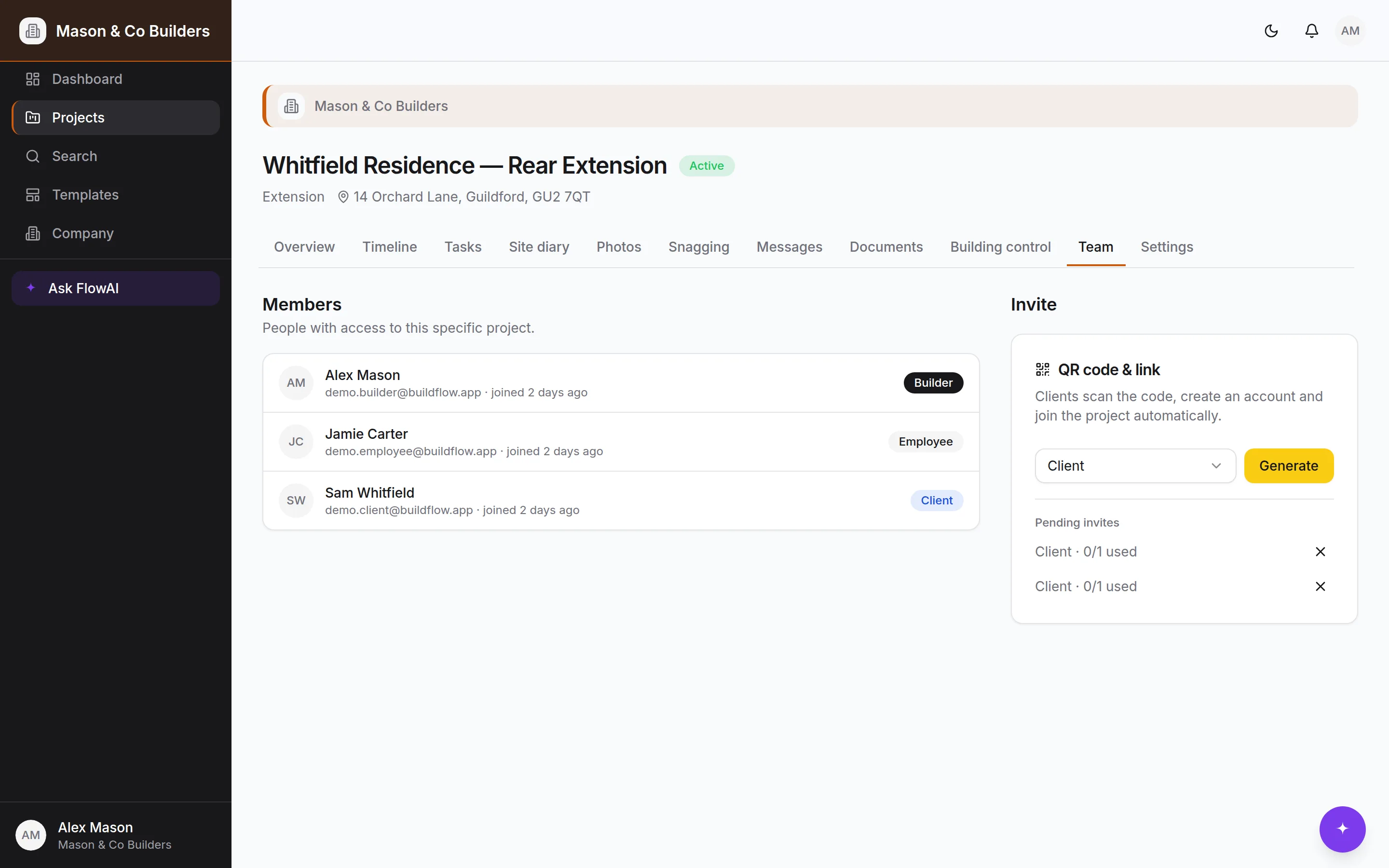
Project → Team adds an existing company member to that job, or invites a client — again by email, link or QR code. Project invites are per-job and last fourteen days, and a client's works once. When someone accepts, you're told.
Changing somebody's role
Owners and admins can change any role below their own from Company settings. Ownership itself is deliberately not a dropdown — transferring a company is a more considered thing than promoting an employee.
Seats and the plan
"Team members" for plan purposes means everyone on the company's books except you. Admins, employees and subcontractors all take a seat, including anyone invited onto just one job; counting only subcontractors would leave an obvious loophole. Each person counts once, however many jobs they are on. Clients are counted separately.
Pending invitations count as taken, so a company cannot issue more links than it has seats.
The audit trail
Database triggers record who changed what and when, with the old and new values, on the core record of every job: the project, its programme, stages and milestones, tasks, the site diary, photographs, snags, documents and folders, messages, inspections, certificates, and who is on it — and on the company itself and its invitations. The log is append-only at the database level — not editable by your team, and not by us; it goes only with the company itself, when its owner deletes it. It is the thing that answers "when did that get changed, and by whom" without anybody having to remember.
Still stuck?
- 1Ask FlowAI in the app — it has read these pages. Pro and Bespoke.
- 2Common problems, solved.
- 3Email support.sitescope@kudu-digital.com. We reply within two working days.